The Product Tour

Welcome

An introduction to the most powerful management system for interactive kiosks.

Genkiosk is a software platform – the most powerful management system for interactive kiosks. With its well-established foundation, proven commercially for over a decade, specific elements can be moulded - or added - to meet the needs or your business. Exactly.  And the benefits will be seen in total control, maximised performance and minimal downtime.

Genkiosk Monitor 2

At the frontline: on the kiosk

  • Genkiosk agents are installed onto your kiosks: uniformly across the whole estate or customised according to the key criteria you choose
  • Genkiosk can replace the entire desktop interface, taking full control
  • Or work invisibly in the background. You decide.
Genkiosk Monitor

The hosted software: behind the scenes

  • Register Genkiosk
  • Create standard settings and decide which kiosks will receive which settings
  • Use the most powerful tools available to monitor and manage performance.

And that is just the beginning

  • Moving up to Genkiosk means no more driving blindfold
  • Full visibility is yours
  • And with the wealth of information about your estate on tap, Genkiosk allows you to see through the data smog, to pick out what matters most.

This tour can only give you a small taste of key features. To start focusing on your own priorities, book an online demo.

Comprehensive Reporting

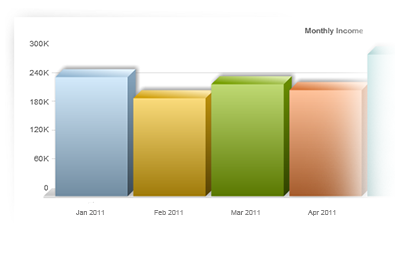
Get powerful up to the minute reports and charts on your kiosk network data. Choose on the fly between different chart types, and see data from your whole kiosk network, a group or an individual kiosk.

Quick access to transactional reports that matter

Many useful reports are available to track and make sense of usage, revenue and potential issues within a kiosk network. For example on retail kiosks detailed transactional reports can be viewed per application, per site or across an entire estate. Useful graphs and tables provide information usually on a live basis. This information can be used to provide reports and analysis to your customers and help to build a more profitable kiosk business going forward.

audit trail

Track who did what when

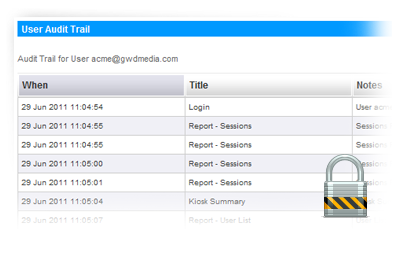
Who did what and when is a vital part of quality systems within any organisation. The Genkiosk Audit Trail feature provides a complete activity log for each user. Audit information is also available for every kiosk which provides a breakdown of events prior during and after a user has interacted with the kiosk.

Export your data into other systems

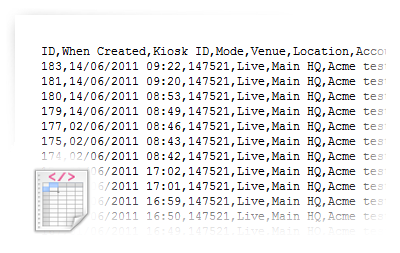
Data sometimes needs to be viewed in other systems outside of Genkiosk, such as accounting systems or reporting programs. Data can be extracted in popular standard formats such as XML or CSV.

Diagnostics and Repair

Genkiosk is built to detect and report any problems on your network, auto repairing where possible. Diagnostic information from kiosks is centralised and made available from a standard browser, reducing unnecessary and expensive engineering visits..

Use diagnostics to find solutions to problems

Quickly diagnose issues with detailed events. Keep track of all kiosk events in the detailed events tool. Kiosk diagnostics information is collected from hardware devices, the windows OS and custom applications. Quickly filter and sort the list or export recent events to CSV. Genkiosk can use the windows WMI to get system information, OS versions and hardware information such as temperature and HDD free space.

Get notification of issues using the powerful business rules engines

Automate repairs and escalate notifications with the alert rules engine. Create actions based on kiosk events (or even the lack of them!) with the extensive alert rules engine. Want to know when there has been no revenue for 4 hours on a busy kiosk or site? Configure an automation to reboot the machine and send an email or SMS to a recipient list. See more about alert rules.

Remote Management

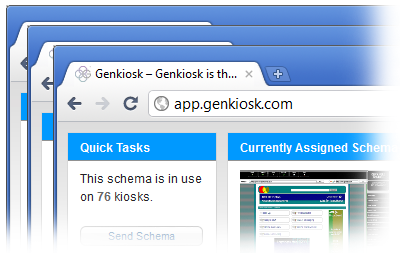
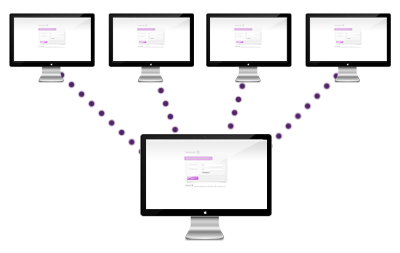
Remote control any kiosk from within your browser using the built in Genkiosk Remote. Sync content such as adverts and applications across groups of kiosks or your whole estate. Deploy the content in minutes to 1000's of kiosk with a few clicks.

Easily content management and control

Avoid having to recreate similar content. Simply copy an existing schema and adapt it. You can see how easy it is to create and deploy a schema here. Use the Genkiosk package system to transfer files or install and run programs. If a kiosk is replaced in the field Genkiosk will ensure all the schema files are the same reducing configuration errors and engineer time on site.

Remote Control

Genkiosk remote lets you remote control any kiosk at any location in the world. Built on the renowned and secure VNC platform, Genkiosk Remote works in Internet Explorer. The client side needs no router configuration. You can read about GK Remote and its enhanced security feature here.

Quick Tasks

Genkiosk quick tasks allow you to quickly do administrative tasks on remote kiosks, for example quickly reboot a kiosk or send and run a batch file.

Security and Lock-down

Built to be installed in unmanned locations Genkiosk has many security and lockdown features

Built in Security

Genkiosk turns a standard Windows 7 or XP install into a secure locked down kiosk within a few minutes. During install Genkiosk creates two users, one for Genkiosk system administrative use and a special limited user account for the kiosk users. Secure passwords are generated and unique to each install. Read more Genkiosk security features here.

Centralised control

Because registry, file & directory security is set centrally using the content control system with schemas, you can be sure that all the kiosks on your network are lockdown and secure. Each time Genkiosk starts the setting security setting are applied again, this ensures important registry setting are set as required each and every time the system starts. The setting file is part of and sent with the schema, which reducing configuration time.

Control what can and can’t be run

The Genkiosk software watchdog automatically kills any processes or windows pre-defined by you. You can also define what files typed can be launched by the Genkiosk client for instance allowing JPGs on a photo kiosk or Office files on a business centre kiosk.

PreviousNext